Field work
you can prove.
Technicians get the job on their phone and close it with photos, location, meter reading and the customer’s signature — even with no signal. The office sees it at once, and the customer gets a PDF work sheet before the van leaves.
- Works offline
- Android and iOS
- Cloud or your own server
- English and Hungarian
The paper work sheet was never the problem. Trusting it was.
Was the technician really there? Was the meter really read? Which charger failed three times this quarter? With paper, a spreadsheet and a group chat, the answers live in people’s heads. Fielva turns every job into a record that proves itself.
Proof built in
Every photo is taken in the app and stamped with time, place, technician and asset the moment it is taken.
Rules, not reminders
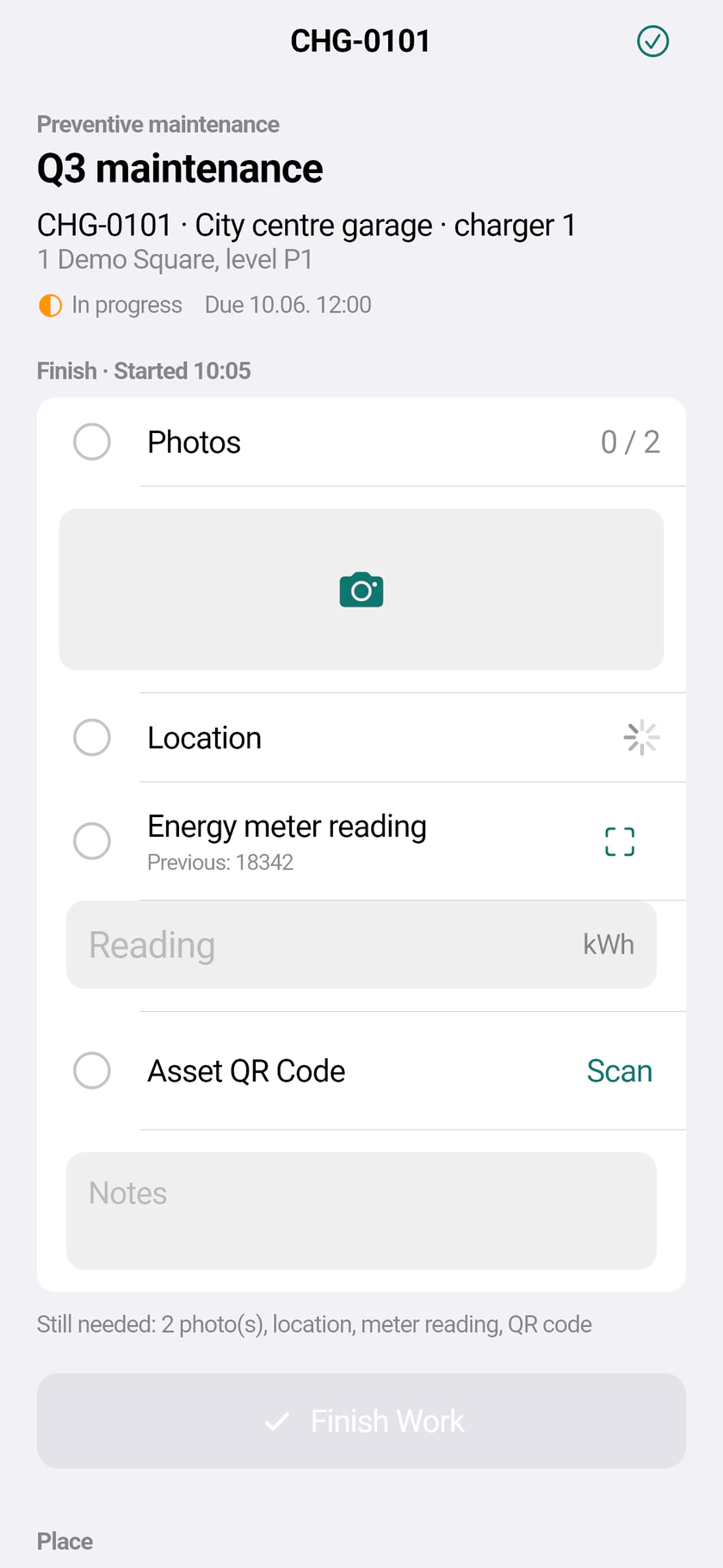
Each task type says what a job needs: how many photos, a meter reading, a QR scan, a checklist, a signature. The close button stays grey until it is all there.
One source of truth
Dispatch, field, customer and management look at the same task, the same asset history and the same numbers.
From assignment to a signed work sheet
Plan and assign
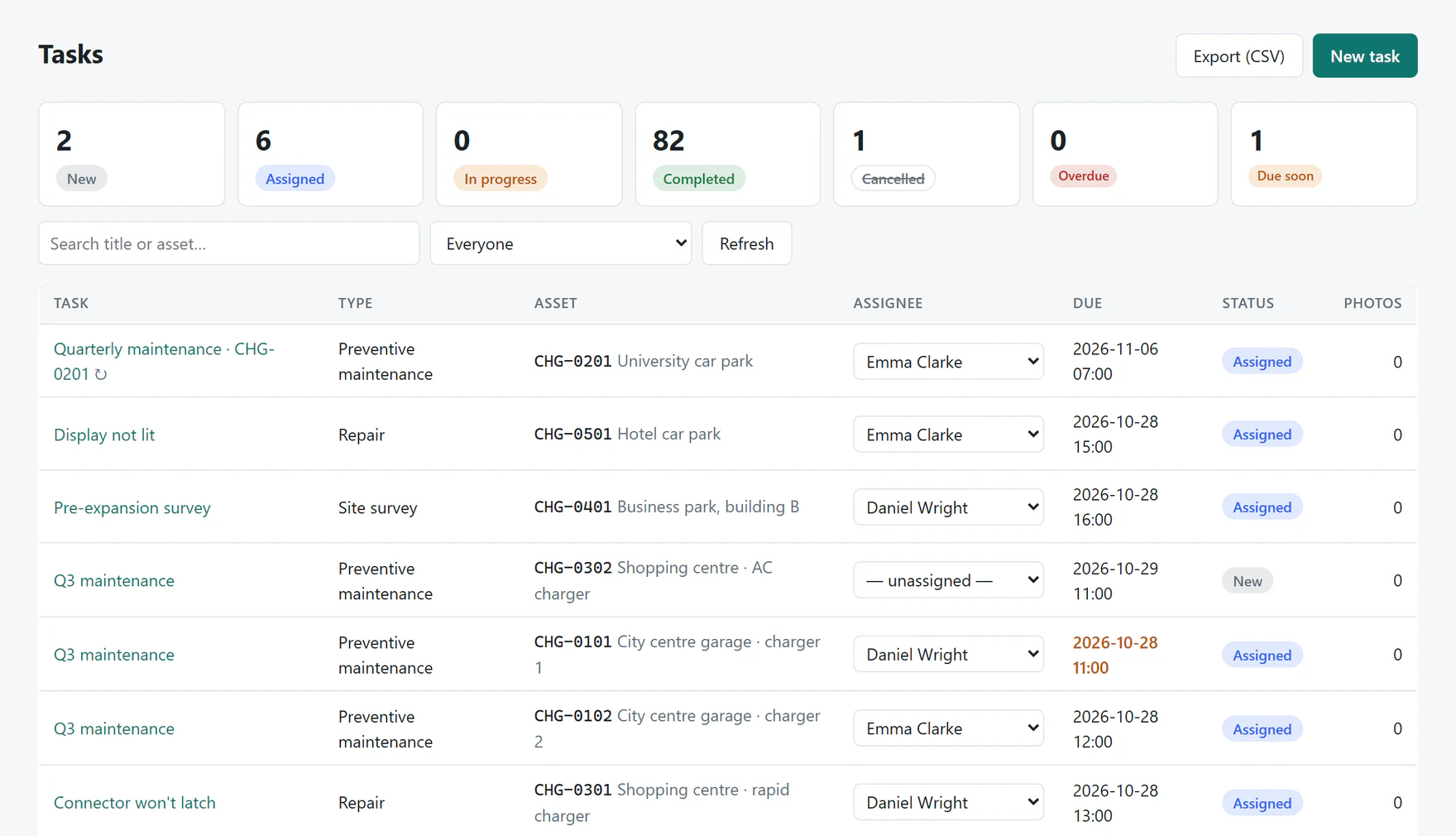
Create jobs by hand, from maintenance plans, from a QR fault report or from an e-mail. Fielva suggests the nearest or least busy technician.
- Due times and SLA by priority
- Preventive maintenance by calendar or meter
- Push notification to the technician
Do the job in the field
The app builds the screen from the task type: a live checklist that ticks off as the technician goes. Everything is saved on the phone first and sent when there is signal.
- Stamped photos, GPS, distance check
- Meter reading with the camera (OCR)
- QR asset check, checklist, signature
Close, send and learn
The customer gets the PDF work sheet by e-mail — straight from the phone if you allow it. The office sees the result live, and the numbers add up by themselves.
- PDF work sheet with photos and signature
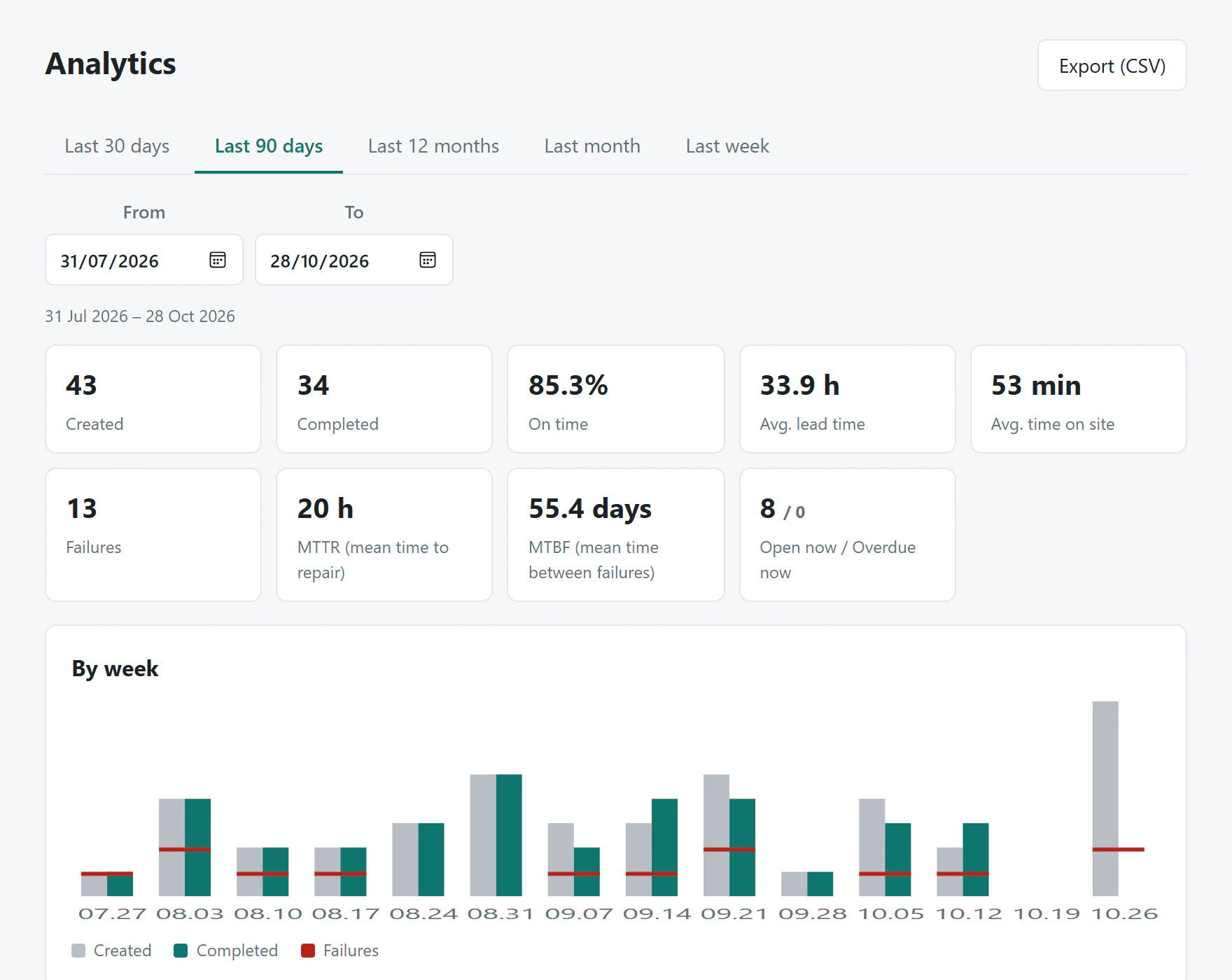
- MTTR, MTBF and on-time rate
- Webhooks to your ERP or billing
Everything a service team runs on
Field app
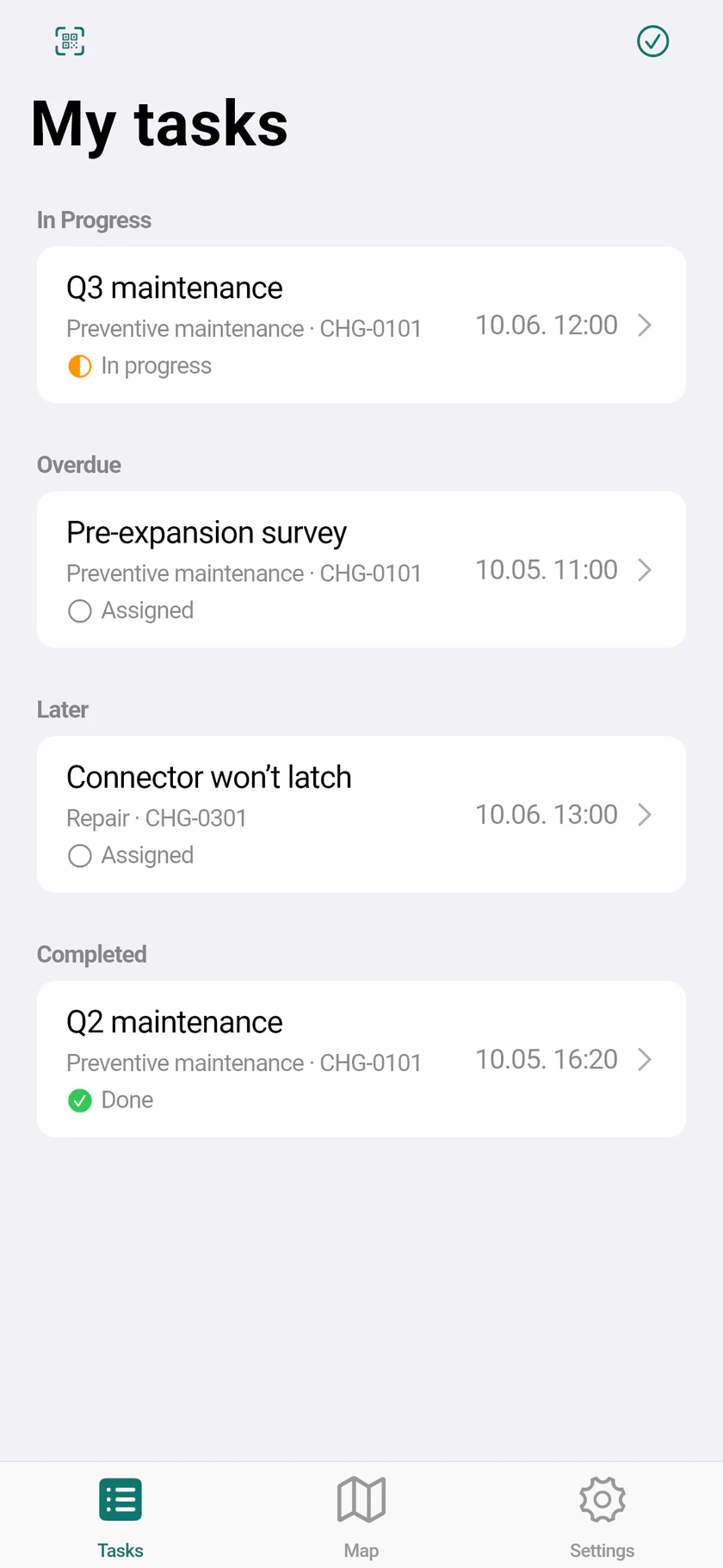
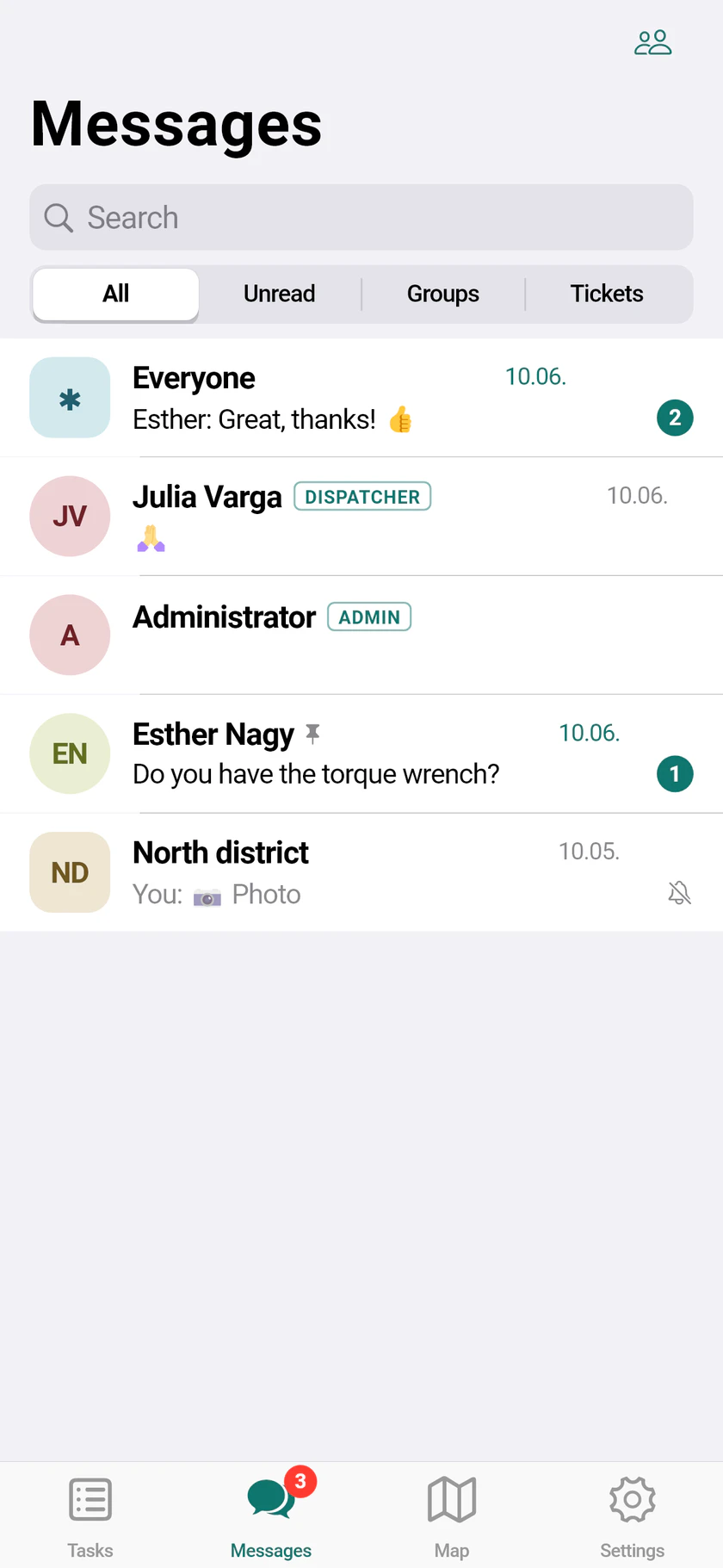
Offline-first app for Android and iOS: tasks, map with navigation, stamped photos, meter OCR, checklists, signature, upload queue you can see.
Dispatch console
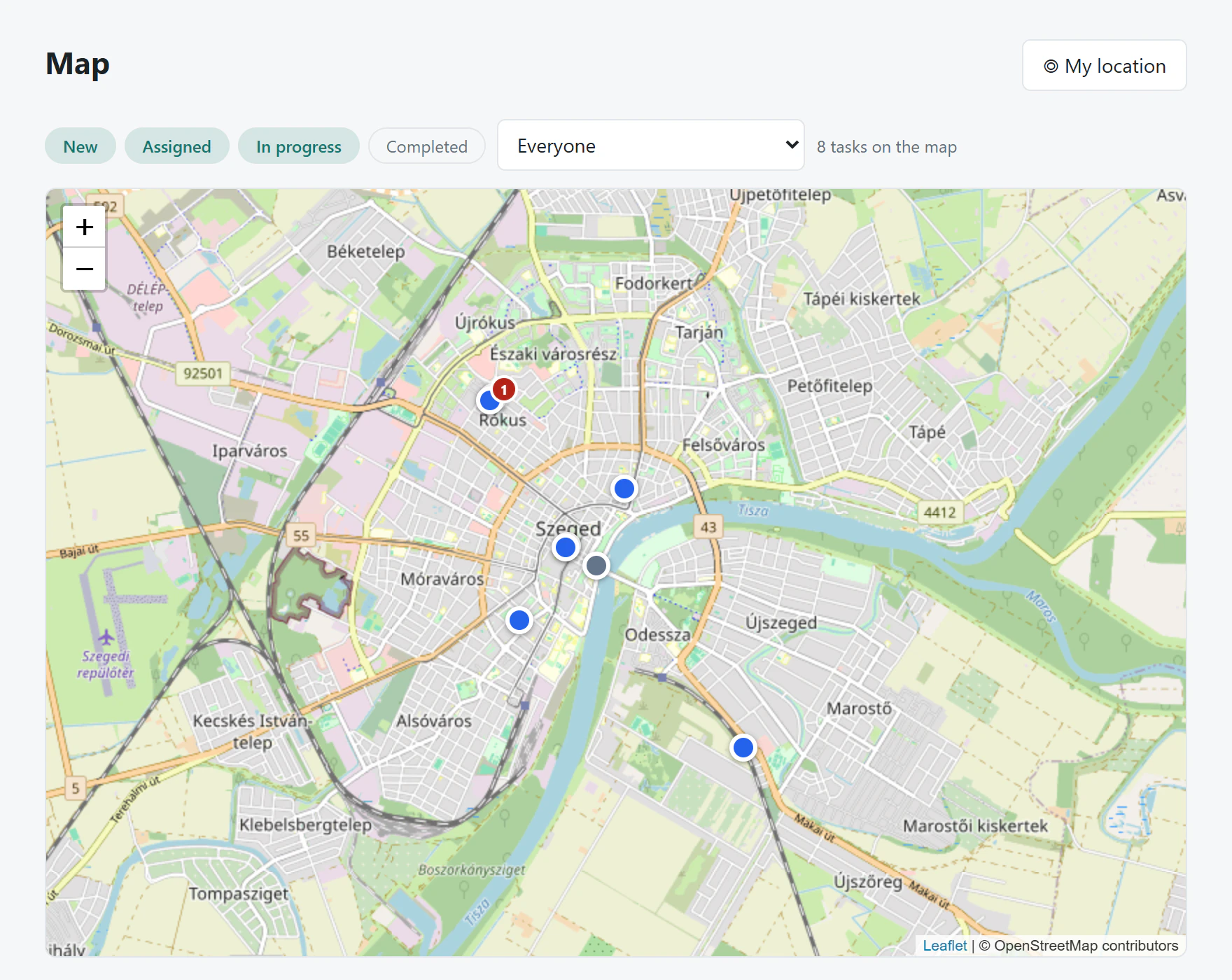
Task list with overdue and due-soon views, map of jobs and technicians, suggested assignee, CSV export, all photos of a job in one ZIP.
Assets and QR labels
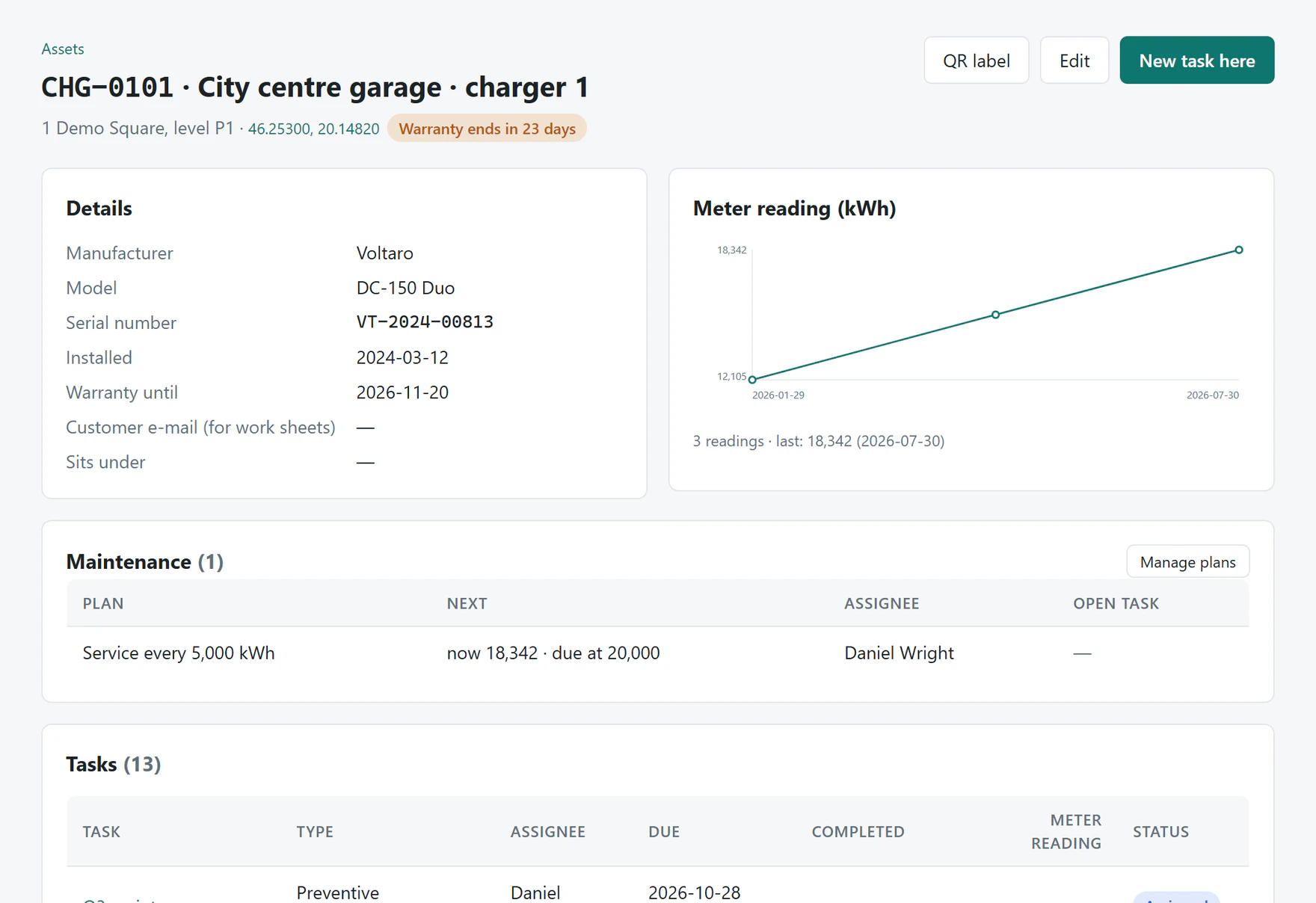
Site → building → machine tree, warranty warnings, meter history, documents, job and fault history. Printable QR labels for every asset.
Fault reports without login
Anyone can scan the label and report a fault with photos. The report becomes a job; the reporter follows its status on a simple page.
Preventive maintenance
Plans per asset by calendar or meter reading. Jobs are created and assigned automatically when they fall due.
Tickets and team chat
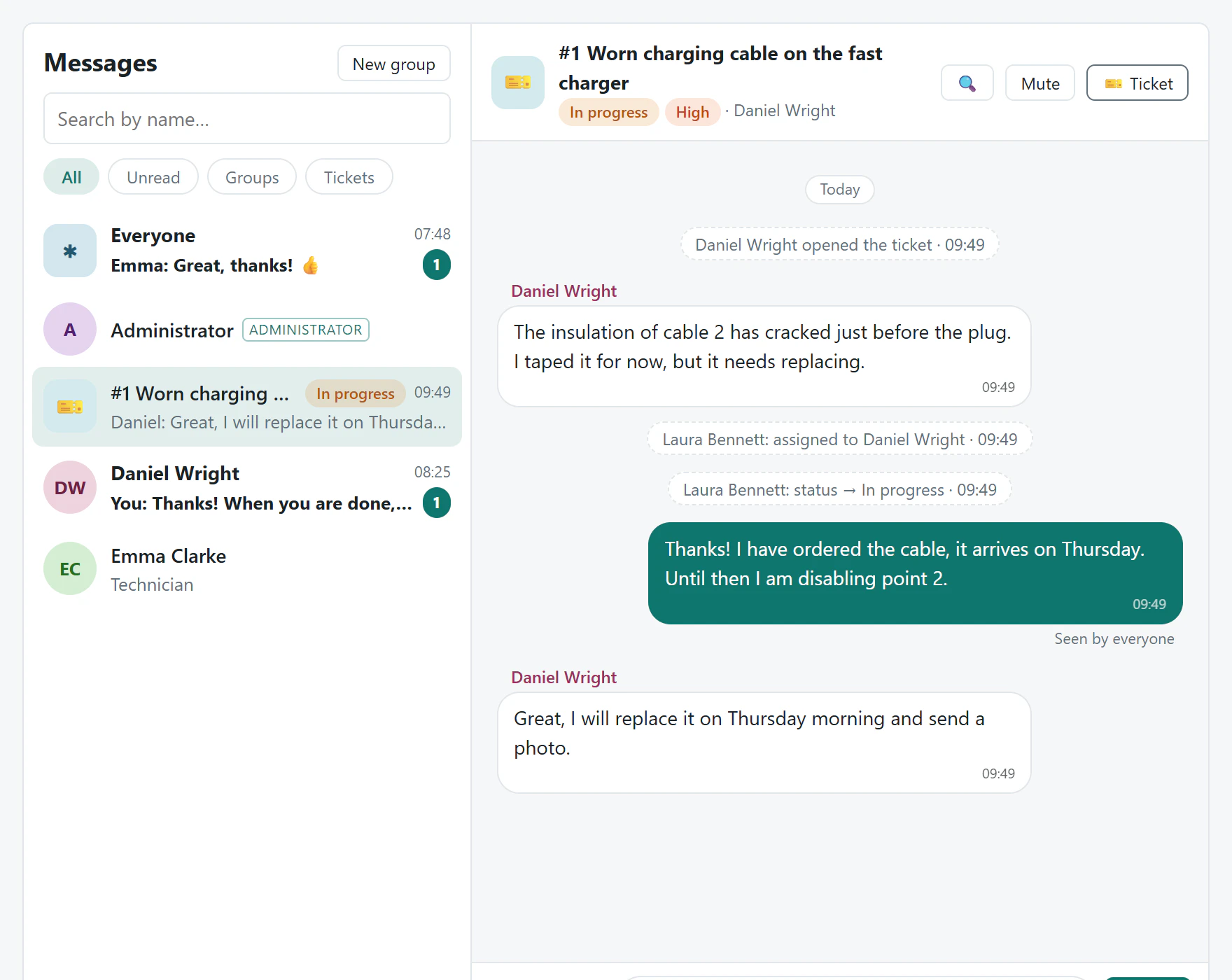
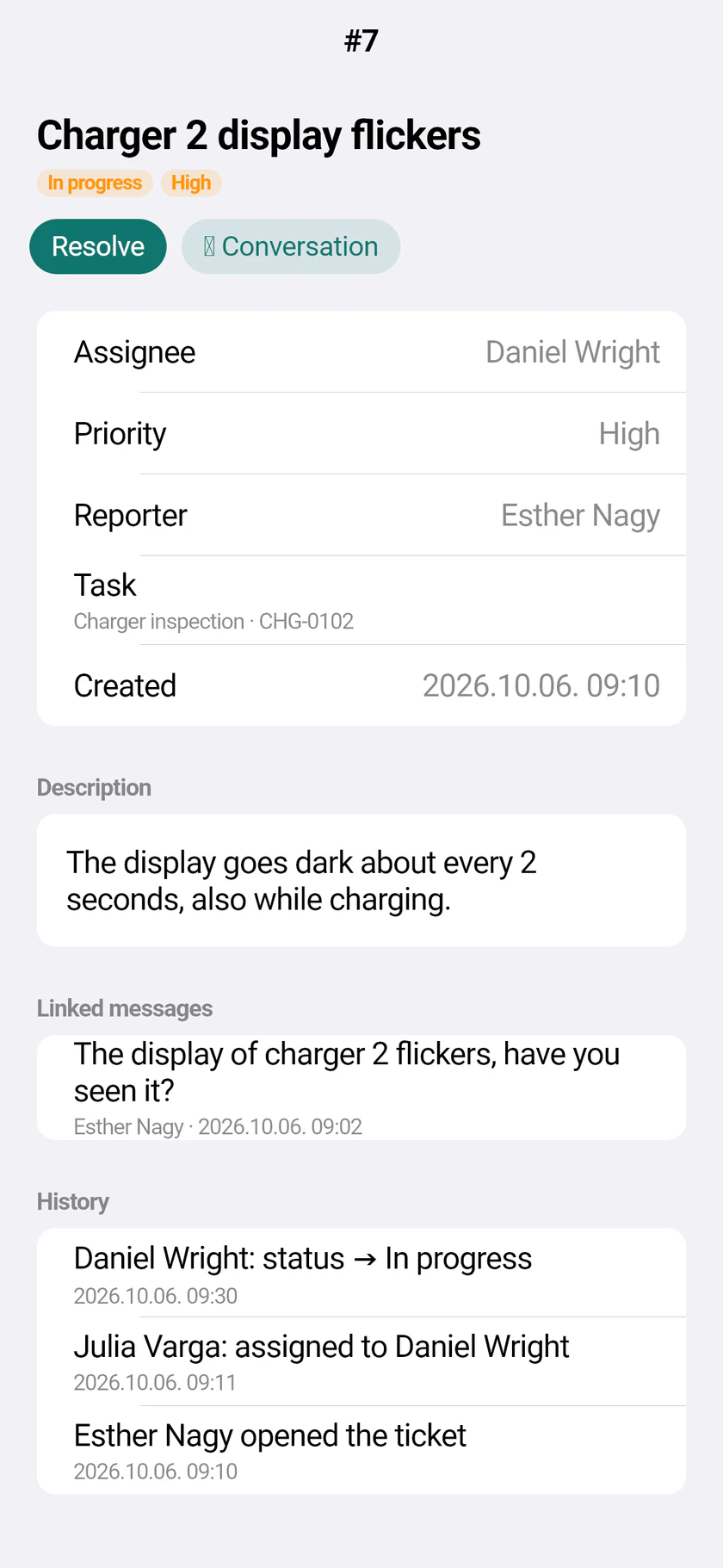
Tickets with their own conversation, priority and due time — opened from the app, the console or an e-mail to your service mailbox.
Deadlines and escalation
Reminders before the due time, push to the assignee and dispatchers when it passes, and a summary e-mail to whoever needs it.
Analytics
MTTR, MTBF, on-time rate, lead and on-site time by technician, asset, task type and week. Weekly or monthly report by e-mail.
Security
Roles, account lockout, two-step sign-in with an authenticator app, company sign-in (Entra ID, Keycloak), audit log of every change.
Built for the people who use it every day
Start with the core. Add what your team needs.
Pricing depends on your team size and the modules you choose. Ask for a quote — we answer within one working day.
Core
The full field and dispatch workflow.
- Field app and dispatch console
- Assets, QR labels and fault reports
- Work sheets, deadlines, analytics
- Integrations and security
Chat
Team conversations in the app and the console.
- Direct and group chats
- Photos, files, push
Tickets
Issues with their own conversation and due time.
- From the app, console or e-mail
- Priority-based SLA
Maintenance
Preventive maintenance that plans itself.
- Calendar or meter based plans
- Automatic job creation
Your data stays where you want it
The same software runs in the cloud or on your own server. Settings — branding, watermark, task types, deadlines — change in the console, without a release.
Cloud
Hosted in the EU, run and updated for you.
Your server
Docker on a single machine with automatic HTTPS, or your own Azure subscription. Several instances behind a load balancer if you need them.
Your stack
SQL Server, PostgreSQL or SQLite. Files on disk, Azure Blob or any S3-compatible storage. Your own sign-in or your company accounts.
Connects to what you already use
- Signed webhooks for task, ticket and fault-report events
- Tickets from your service mailbox (IMAP)
- REST API with OpenAPI description
- CSV exports and e-mailed reports
Teams that maintain things out in the field
- EV charging and energy
- Building services and HVAC
- Lifts and access systems
- Utilities and telecom
- Industrial maintenance
- Vending and office equipment
The demo shows a fictional EV charger maintenance company; every name, code and coordinate in it is synthetic.
Questions we hear
What happens without mobile signal?
Everything is saved on the phone first: photos, start, close, signature, the work sheet e-mail. The app sends it in order when the signal is back, and nothing is sent twice.
Can we adapt it to our own process?
Yes, mostly by settings rather than development. Task types define photos, meter readings, distance, QR checks, checklist fields and signatures; the phone and the server apply the same rules.
Can photos be faked or edited?
Photos are taken in the app and stamped on the phone with time, location, technician and asset. Each one carries its GPS position and accuracy, so a photo taken elsewhere shows.
Do technicians have to share their location all day?
No. Position sharing for the dispatch map is off by default; when switched on, only the last position is kept and technicians can turn it off for themselves if the company allows.
Can it run on our own server?
Yes. The same software runs with Docker on a single machine, in your Azure subscription or in our EU cloud, with SQL Server, PostgreSQL or SQLite.
Which languages does it support?
The app and the console are available in English and Hungarian; each user can choose. The work sheet goes to customers in the language you set.
See it with your own jobs
In 30 minutes we walk through a day of your team in Fielva — your task types, your assets, your work sheet.